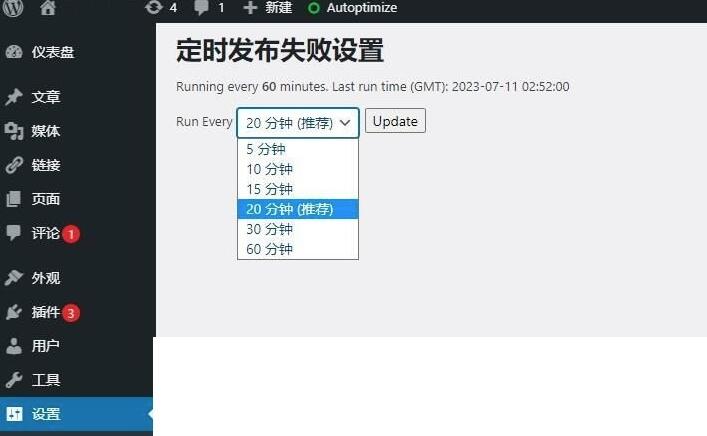
WordPress 插件定时发帖Missed Scheduled Post Publisher 汉化版。用Missed Scheduled Posts插件解决WordPress定时发布文章失败问题?以查看定时发布的WordPress文章是否错过了时间表。如果找到任何错过的计划项目,则它将状态从计划状态更改为已发布。
使用方法:
一、安装并启用Missed Scheduled Post Publisher插件。
二、如果你不想安装插件,也可以直接将试试添加代码到functions.php的最后面即可:
<?php
if(!function_exists(‘add_action’)){
header(‘Status 403 Forbidden’);header(‘HTTP/1.0 403 Forbidden’);header(‘HTTP/1.1 403 Forbidden’);exit();}
?>
<?php
function wpms_log(){
echo”\n<!–Plugin WP Missed Schedule 2011.0920.2011 Active–>”;
}
add_action(‘wp_head’,’wpms_log’);
add_action(‘wp_footer’,’wpms_log’)
?>
<?php
define(‘WPMS_DELAY’,5);
define(‘WPMS_OPTION’,’wp_missed_schedule’);
function wpms_replace(){
delete_option(WPMS_OPTION);
}
register_deactivation_hook(__FILE__,’wpms_replace’);
function wpms_init(){
remove_action(‘publish_future_post’,’check_and_publish_future_post’);
$last=get_option(WPMS_OPTION,false);
if(($last!==false)&&($last>(time()-(WPMS_DELAY*60))))return;
update_option(WPMS_OPTION,time());
global$wpdb;
$scheduledIDs=$wpdb->get_col(“SELECT`ID`FROM`{$wpdb->posts}`”.”WHERE(“.”((`post_date`>0)&&(`post_date`<=CURRENT_TIMESTAMP()))OR”.”((`post_date_gmt`>0)&&(`post_date_gmt`<=UTC_TIMESTAMP()))”.”)AND`post_status`=’future’LIMIT 0,5″);
if(!count($scheduledIDs))return;
foreach($scheduledIDs as$scheduledID){if(!$scheduledID)continue;
wp_publish_post($scheduledID);}
}
add_action(‘init’,’wpms_init’,0)
?>

发表评论 取消回复